A website for a training company that takes clients from question to sign-up
UniMentor prepares candidates for studying abroad and MBA programmes: mentoring, aptitude tests, documents and interview training. The website presents three programmes, breaks the process into five stages, shows pricing and offers free tools that attract future clients.
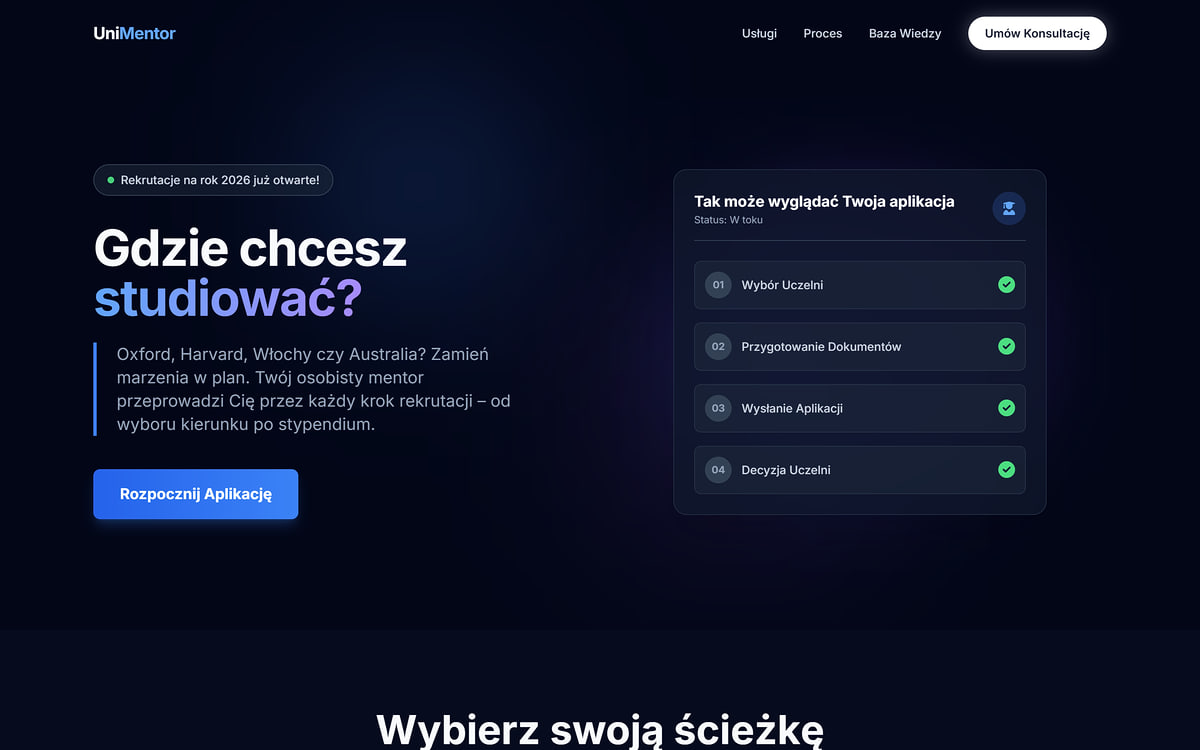
What does a training company website need?
Training, a course or mentoring is a service you can’t see before buying. The client buys a promise: that someone will guide them through the process and that the result will be worth the price. The website has to make that promise credible – with the programme, the process, the price and reviews.
UniMentor does it in the order clients ask questions: “which programme is for me?”, “what does it look like?”, “how much is it?”, “does it work?”. The same layout works for a training company, a language school, a coach or an education agency.
What someone looking for training or a mentor will see
Three home page sections – from choosing a programme, through the course of cooperation, to proof of results. All screenshots come from the live website (in Polish).
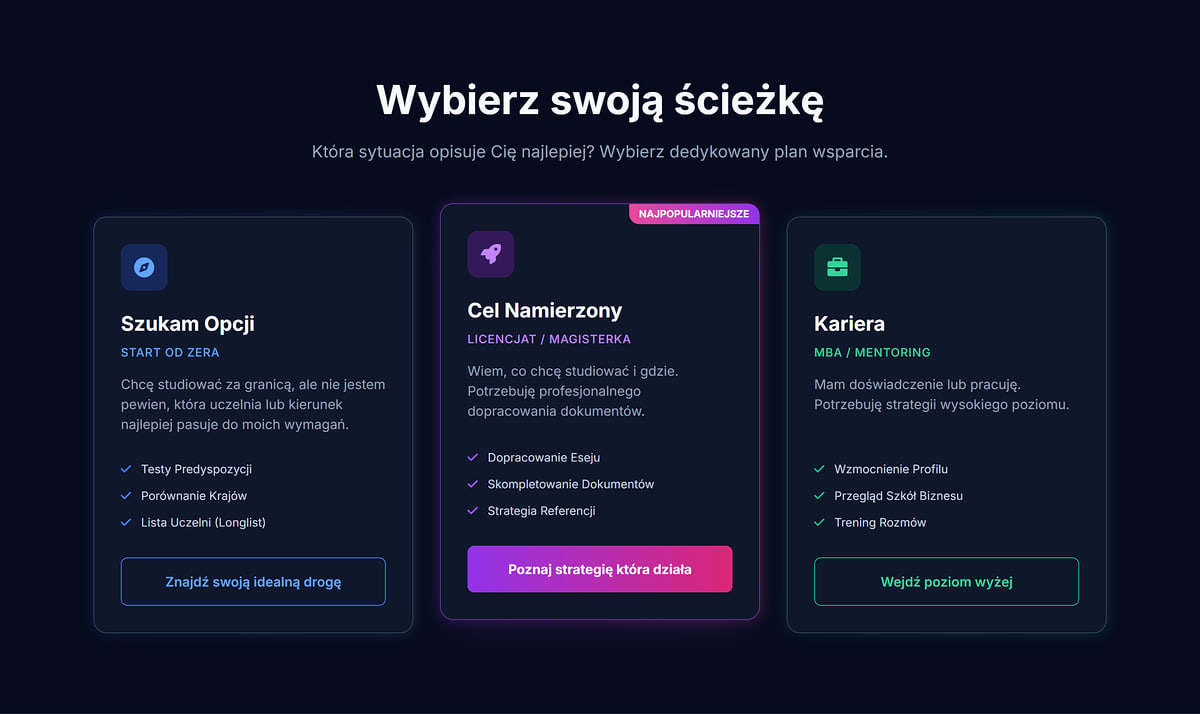
Three programmes for three stages
“Exploring Options” for people starting from scratch, “Target Locked” for bachelor’s and master’s candidates, and “Career” for professionals considering an MBA. Each card says who the programme is for and what it includes, and leads to a dedicated subpage. Clients don’t browse a price list – they pick the situation that describes them.
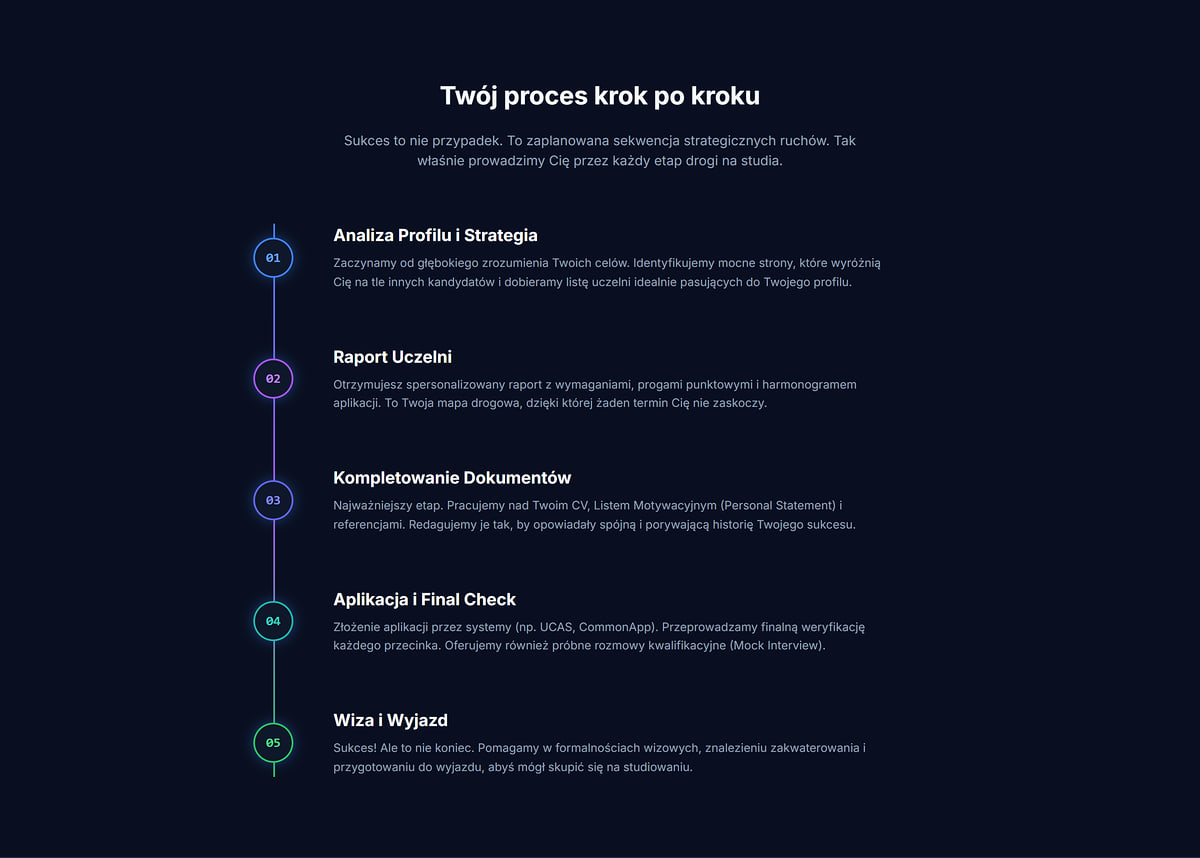
The process broken into five stages
Profile analysis, university report, documents, application and preparing to move abroad. The timeline shows exactly what happens at each stage – answering the most common question before buying training or mentoring: “what will it actually look like?”.
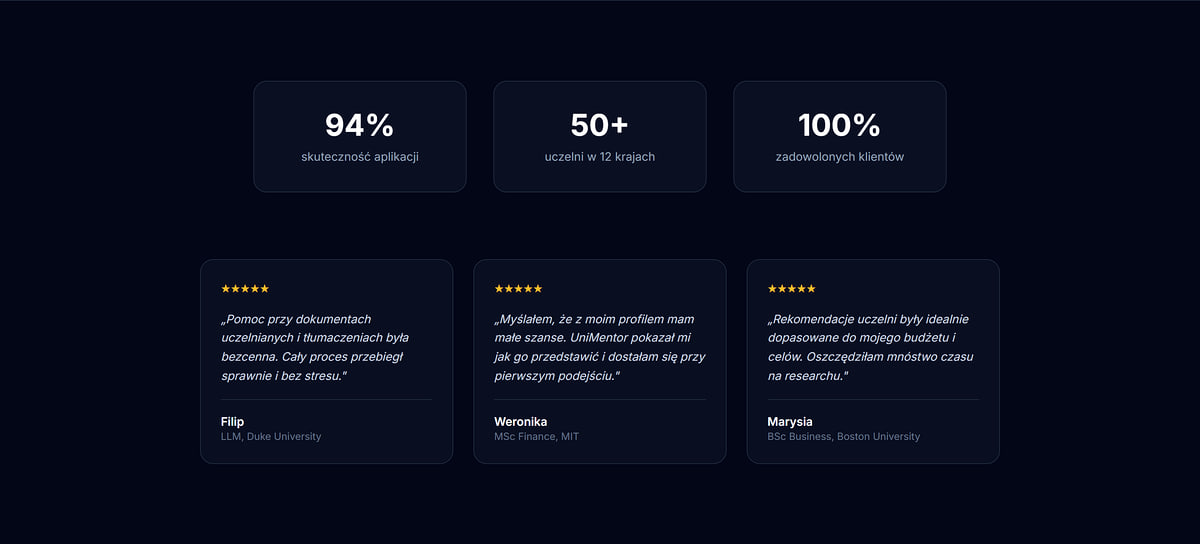
Figures and graduate reviews
Three figures – application success rate, number of universities and countries, client satisfaction – plus a scrolling strip of reviews with name, programme and university. A review from someone admitted to a specific programme convinces far more than a generic “recommended”.
Transparent pricing on a training company website
Most training companies hide prices behind a form. UniMentor shows them directly – and instead of scaring people off, the price filters enquiries: the consultation is booked by people who know the cost and are ready to start.
A billing model instead of a price table
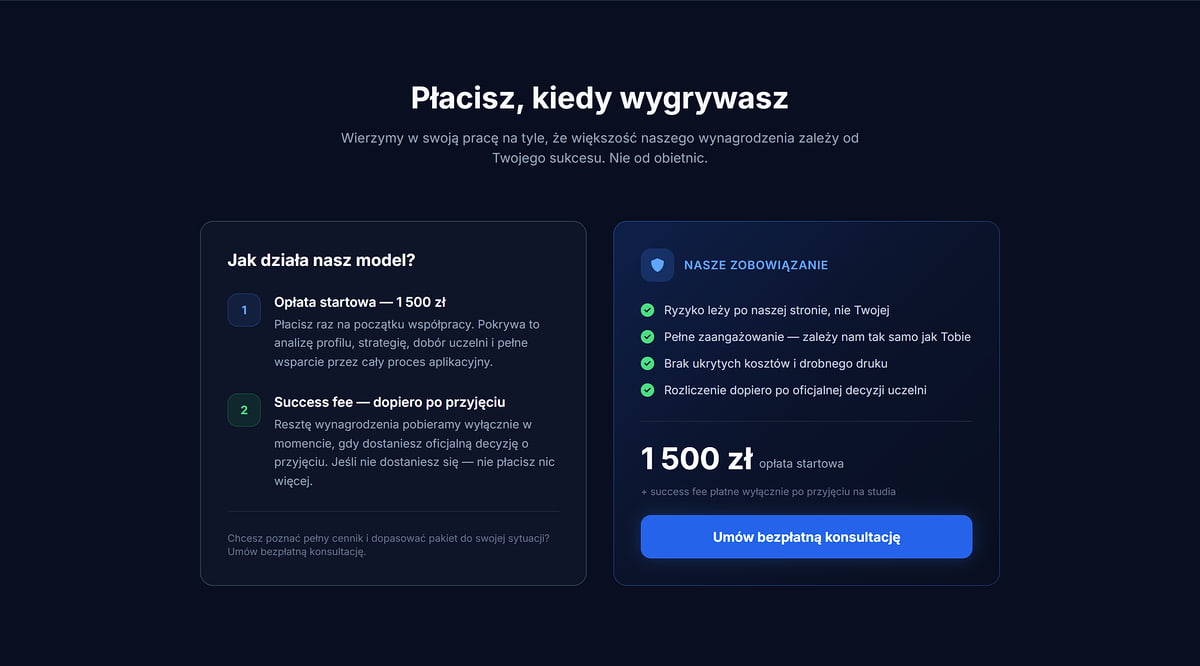
The “You pay when you win” section explains it in two steps: a 1,500 PLN start fee at the beginning, and the rest only after an official admission decision. Next to it, a list of commitments and a free consultation button. It’s a sales argument that’s hard to put this clearly in a conversation.
A package listing what the client gets
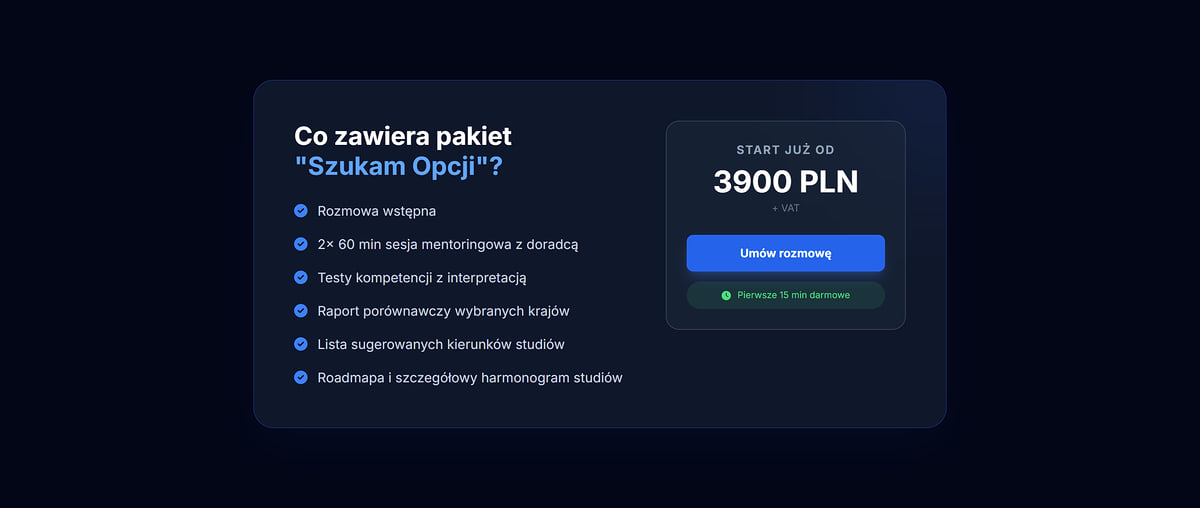
The “Exploring Options” subpage lists six package items – from an intro call and two 60-minute mentoring sessions to a roadmap – with a starting price of 3,900 PLN net. The “Book a call” button notes that the first 15 minutes are free.
Free materials that lead to sign-ups
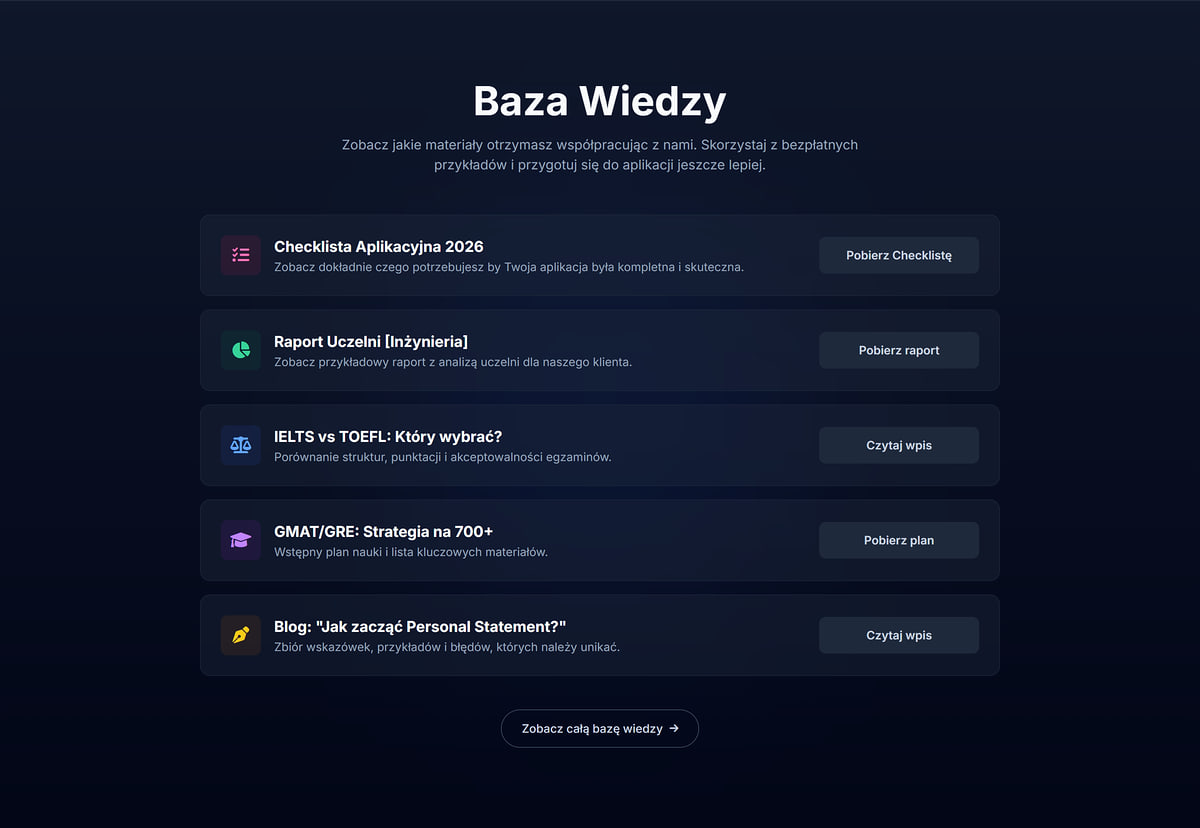
An application checklist, a sample university report, an IELTS vs TOEFL comparison, a Personal Statement guide and a GMAT/GRE study planner. Every item is a first contact with the brand before the client asks about price.
Study planner
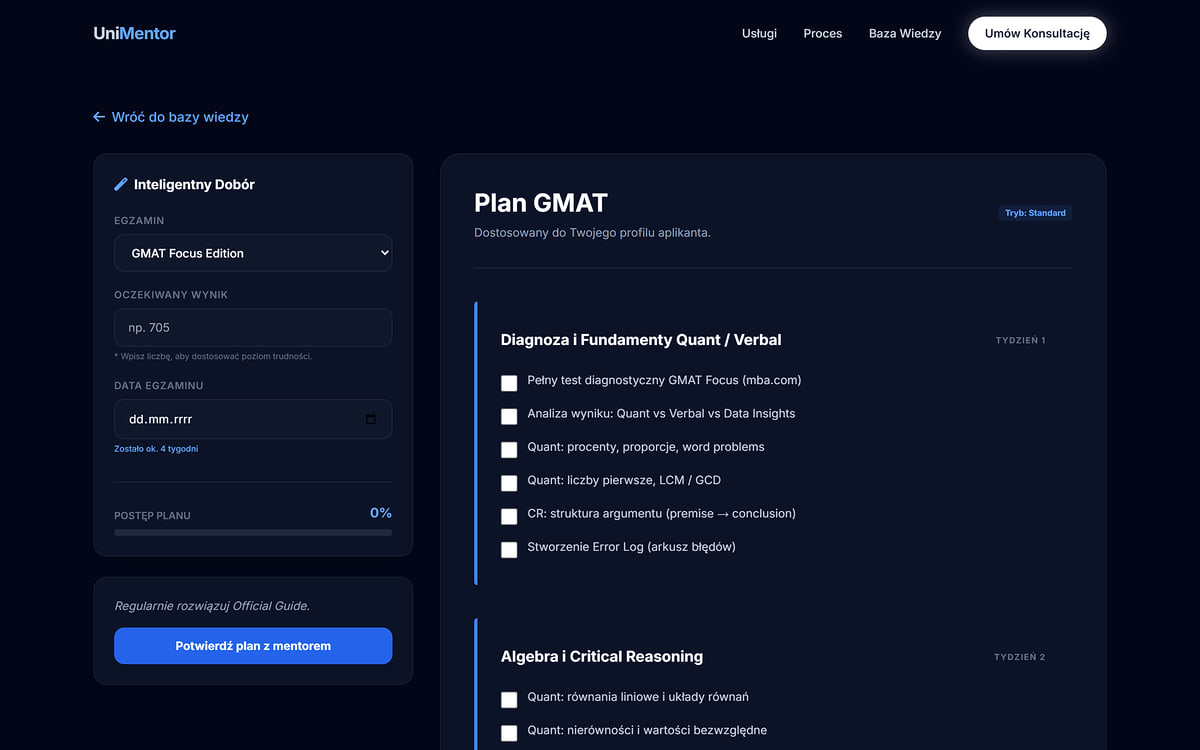
Pick the exam, target score and date, and the planner lays out study week by week. At the end there’s a “Confirm the plan with a mentor” button.
A form with a topic
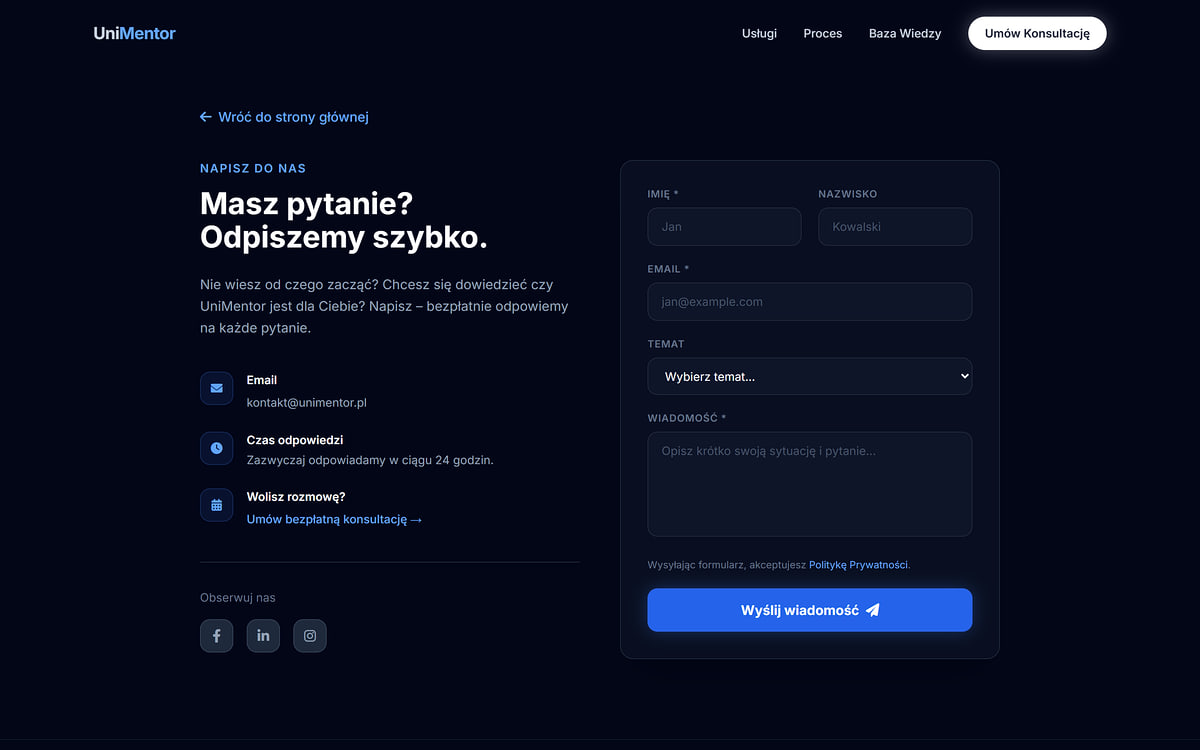
When getting in touch, clients choose a topic – from bachelor’s and MBA to “I don’t know where to start” – so the enquiry arrives with context.
Contact and consultation on every screen
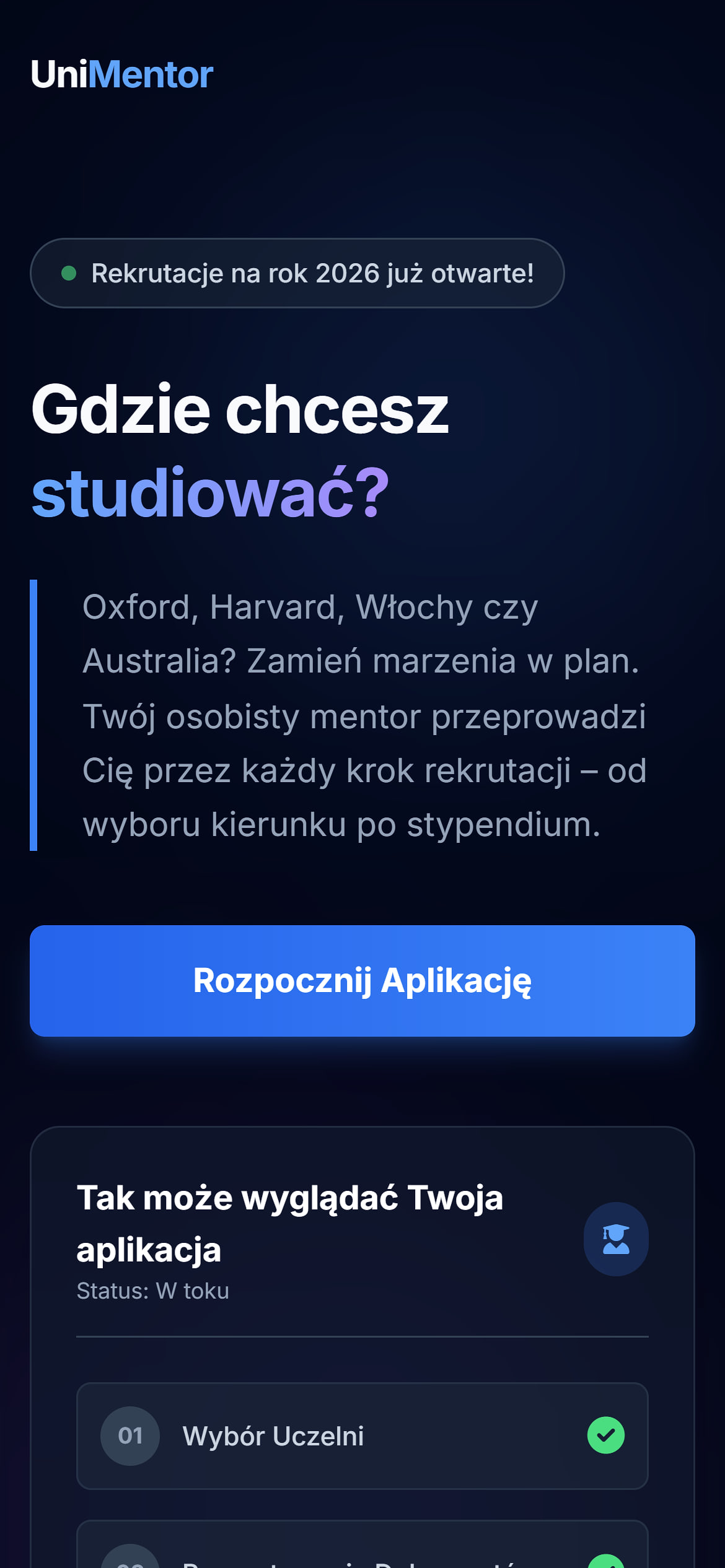
The “Book a consultation” button sits in the menu on every subpage. The contact page combines a form with a topic selector, an email address, a note about replying within 24 hours and a link to a free consultation. On a phone, the heading and the “Start your application” button fit on the first screen.
What works on a training company website
Solutions we carry over to websites for training companies, language schools, coaches and education agencies.
A subpage for every programme
Separate programme pages capture enquiries from different client groups and describe each offer without cramming everything onto one page.
Content that ranks
Articles about exams and documents answer questions learners type into Google long before they sign up for a course.
Phone first
Students look for help on their smartphones. The heading, the button and the process preview work on a small screen from the first visit.
Trust before the call
The process, pricing and reviews are on the website, so people who book a first consultation already know what to expect.
Website for a training company – frequently asked questions
Didn’t find the answer? Write to us.
A website with programme subpages, a contact form, a blog or knowledge base and a panel for editing content yourself is the BUSINESS PRO package from 3,500 PLN net. A simpler one-page website with up to five subpages starts from 1,980 PLN net. Interactive tools such as a study planner, a learner area or online payments fall under the TAILOR-MADE PROJECT package from 4,900 PLN net, quoted individually.
Descriptions of programmes or courses with who they are for, the course of cooperation, a price list or at least a starting price, specific participant reviews, information about the trainers, and a form and sign-up button visible on every subpage. A knowledge base with free materials also pays off.
It’s worth it, even as a starting price. On UniMentor the “Exploring Options” programme shows a price from 3,900 PLN net, and the home page explains a billing model with a start fee and a success fee. Clients who know the range before the call are less likely to drop out after the first consultation.
Through programme subpages targeting specific phrases and content that answers pre-purchase questions – exam comparisons, guides, checklists. On UniMentor the knowledge base includes, among others, an IELTS vs TOEFL comparison and a guide to writing a Personal Statement. Add fast loading and a polished mobile version.
Yes. The simplest form is a clear “Book a consultation” button in the menu and a form with a topic selector, as on UniMentor. You can also connect a booking calendar where clients pick a slot themselves – calendar integration is available in the basic package.
See the website through a future learner’s eyes
Visit unimentor.pl, pick one of the three paths, scroll to pricing and open the study planner in the knowledge base. In a few minutes you’ll see how the website answers questions before the client even asks them.
Open UniMentor.plRunning training, courses or mentoring?
Tell us what programmes you offer and how clients sign up today. Within 24 hours you’ll get a quote for the website together with proposed programme subpages and ideas for free materials that attract learners.